Combat Storyboard for RMU








Welcome to Combat Storyboard for RMU
This module is designed exclusively for the Rolemaster Unified (RMU) system.
Rolemaster combats are famously detailed, featuring highly tactical phases, specific hit locations, and devastating critical injuries. The Combat Storyboard for RMU is a GM utility that captures this rich mechanical data and translates it into a human-readable report and a highly compressed, token-efficient prompt designed for external Large Language Models (LLMs like ChatGPT, Gemini, or Claude).
The result? Raw combat logs can be transformed into cinematic, multi-page comic book scripts and detailed image generation prompts, allowing you to immortalise your group's most epic battles.
See an end-to-end example here: Example 1
Note: This module does not contain any AI functionality itself, but is designed to work with external AI services.
Key features
- Silent Hook Ingestion: Automatically captures attacks, spells, resistance rolls, and applied damage during combat, saving them to a Journal Entry.
- The Storyboard Wizard: A dedicated UI accessible from the Combat Tracker sidebar to review your combat highlight reel.
- Cast & Roster Management: Define the visual descriptions of your combatants and the environment to ensure AI consistency.
- Hero Moments: Flag specific attacks or critical hits to guarantee they become the focal point of the generated story.
- Plain Text Export: For GMs who just want a clean, human-readable summary of the battle without using AI, the module provides a one-click downloadable text log.
How to use (inside FoundryVTT)
-
Run Your Combat: Play out your RMU encounter normally. When the combat ends, you (GMs only) will be prompted to save the raw event log to a Journal Entry.
-
Open the Wizard: Click the Storyboard Wizard icon (the crossed swords) located at the top of the Combat Tracker sidebar.
-
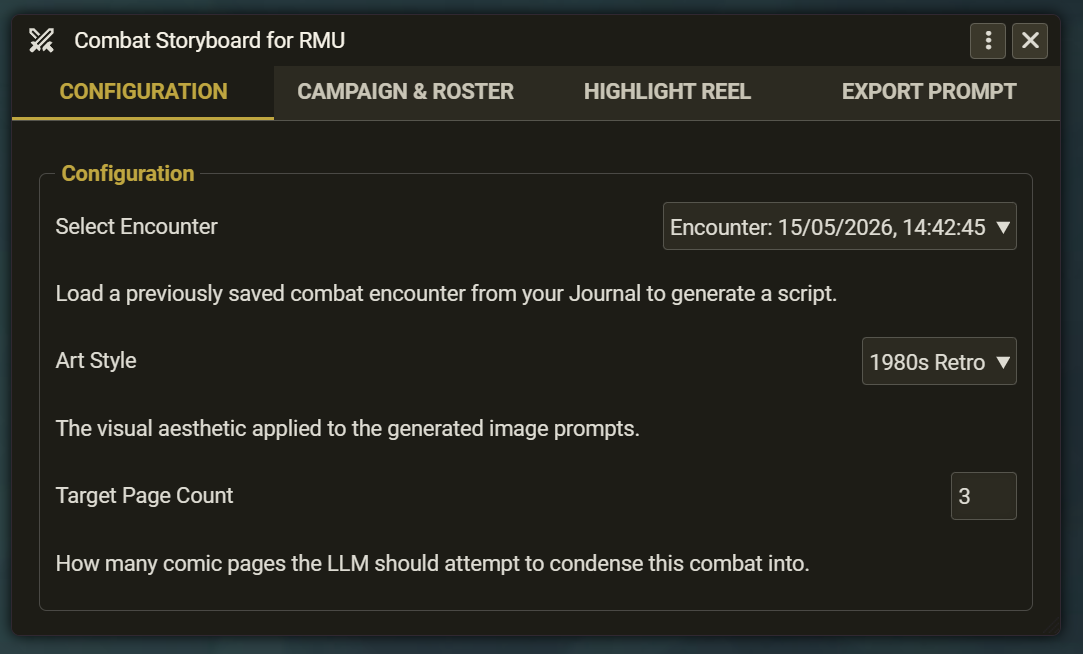
Configuration Tab:
- Select your saved combat log from the dropdown menu.
- Choose an Art Style (e.g., Dark & Gritty, 1980s Retro, Manga).
- Set a Target Page Count to dictate the length of the final comic.
-
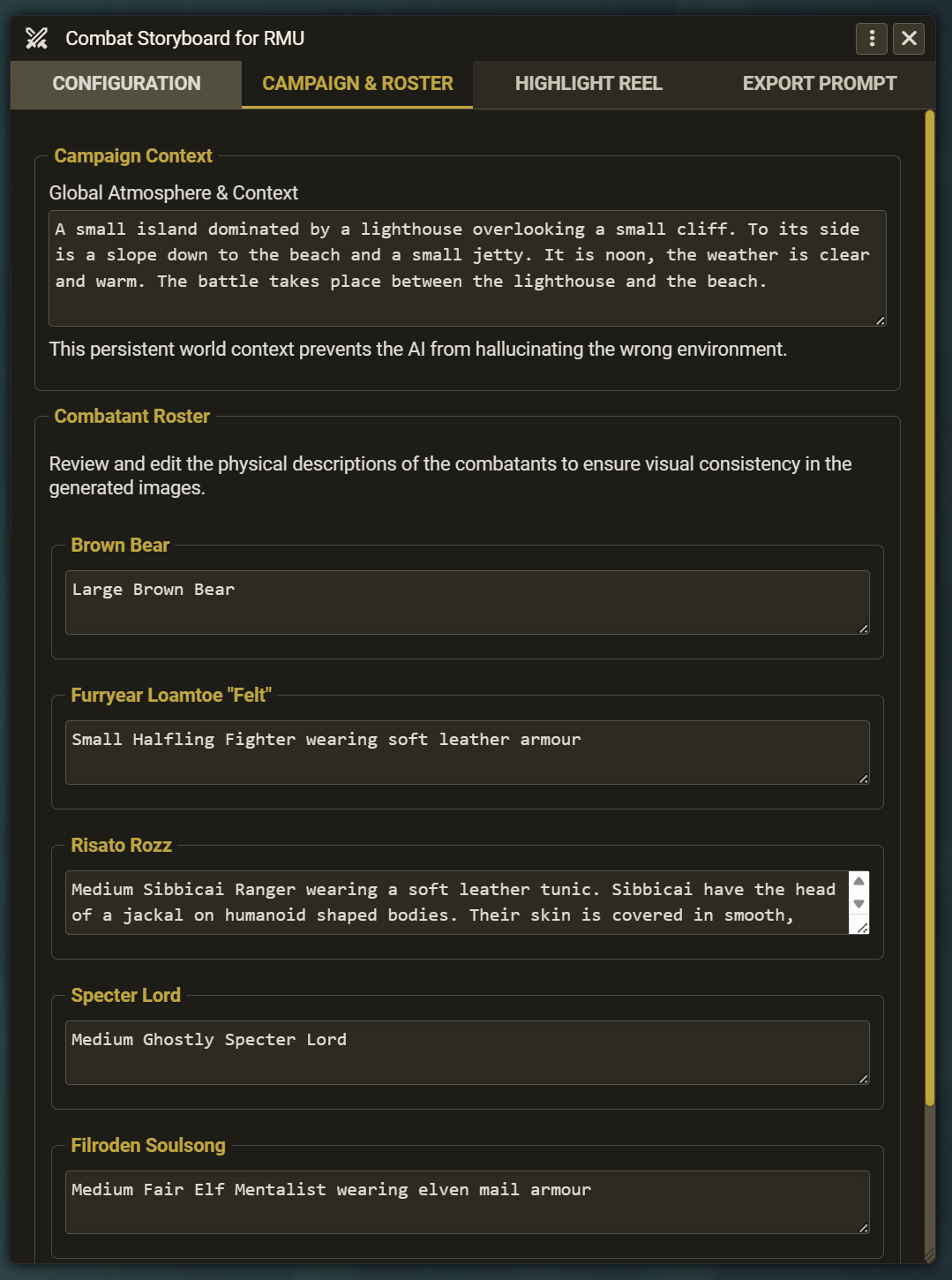
Campaign & Roster Tab:
- Provide a brief Campaign Context (e.g., "A rainy night in a muddy forest clearing") to ground the AI.
- Review the combatants. Replace their mechanical names with physical descriptions (e.g., "A small halfling wearing soft leather"). This allows the AI to visualise the combatants better.
Note: If the combatant is a fantastical or unusual creature or race, you should provide a short description, e.g., "A medium sibbicai ranger. Sibbicai have the head of a jackal on humanoid shaped bodies. Their skin is covered in smooth, oily black short hair coats."
-
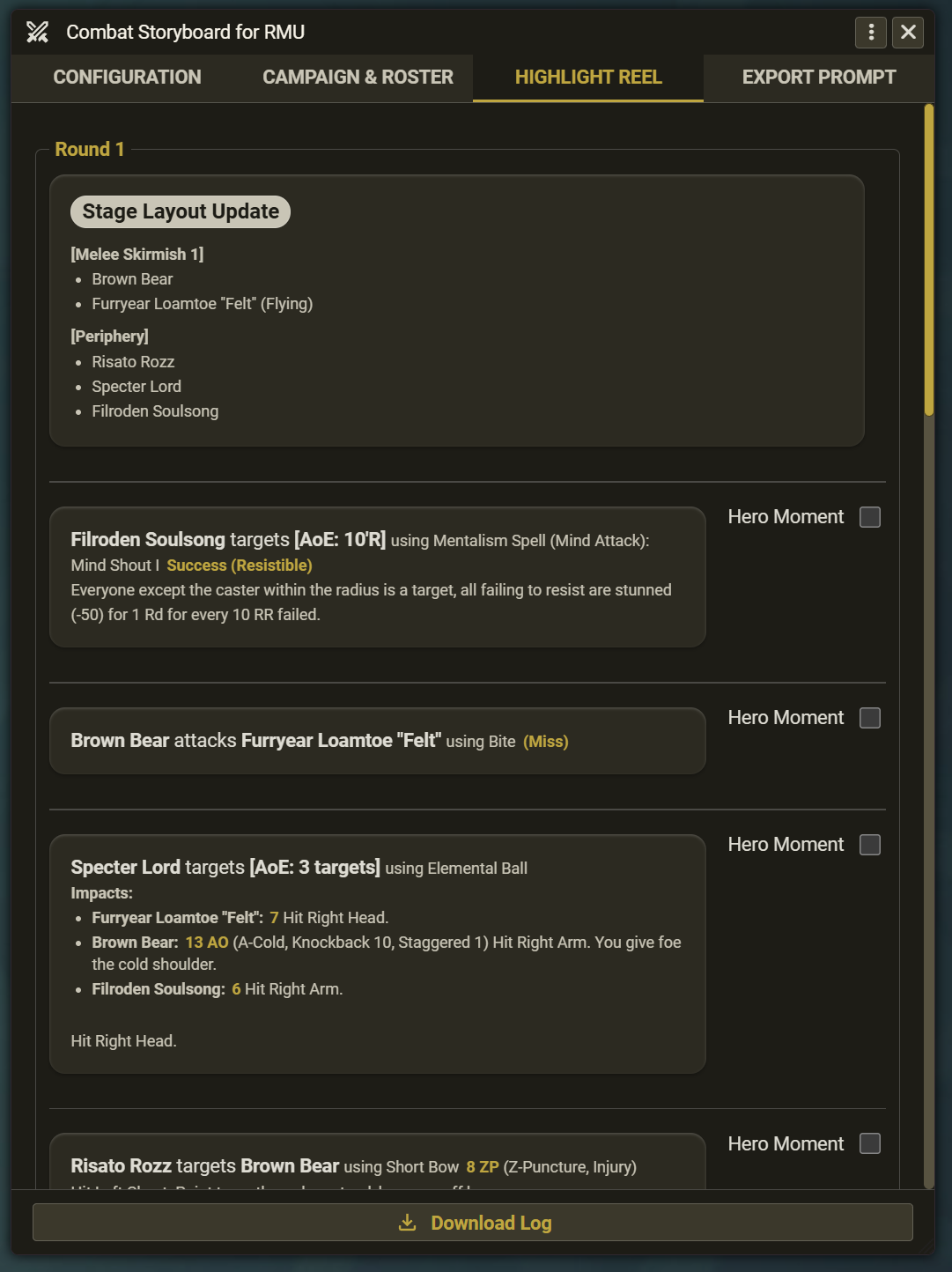
Highlight Reel Tab: Review the timeline of the battle. Check the Hero Moment box next to the most important actions to guarantee they receive a massive spotlight panel in the final script. You can also download a human-readable text file of the log from here.
Note: Use the Hero Moment boxes sparingly to avoid confusing the AI. Ideally, you should select one hero moment for each page and avoid choosing them too close together in the sequence of events.
-
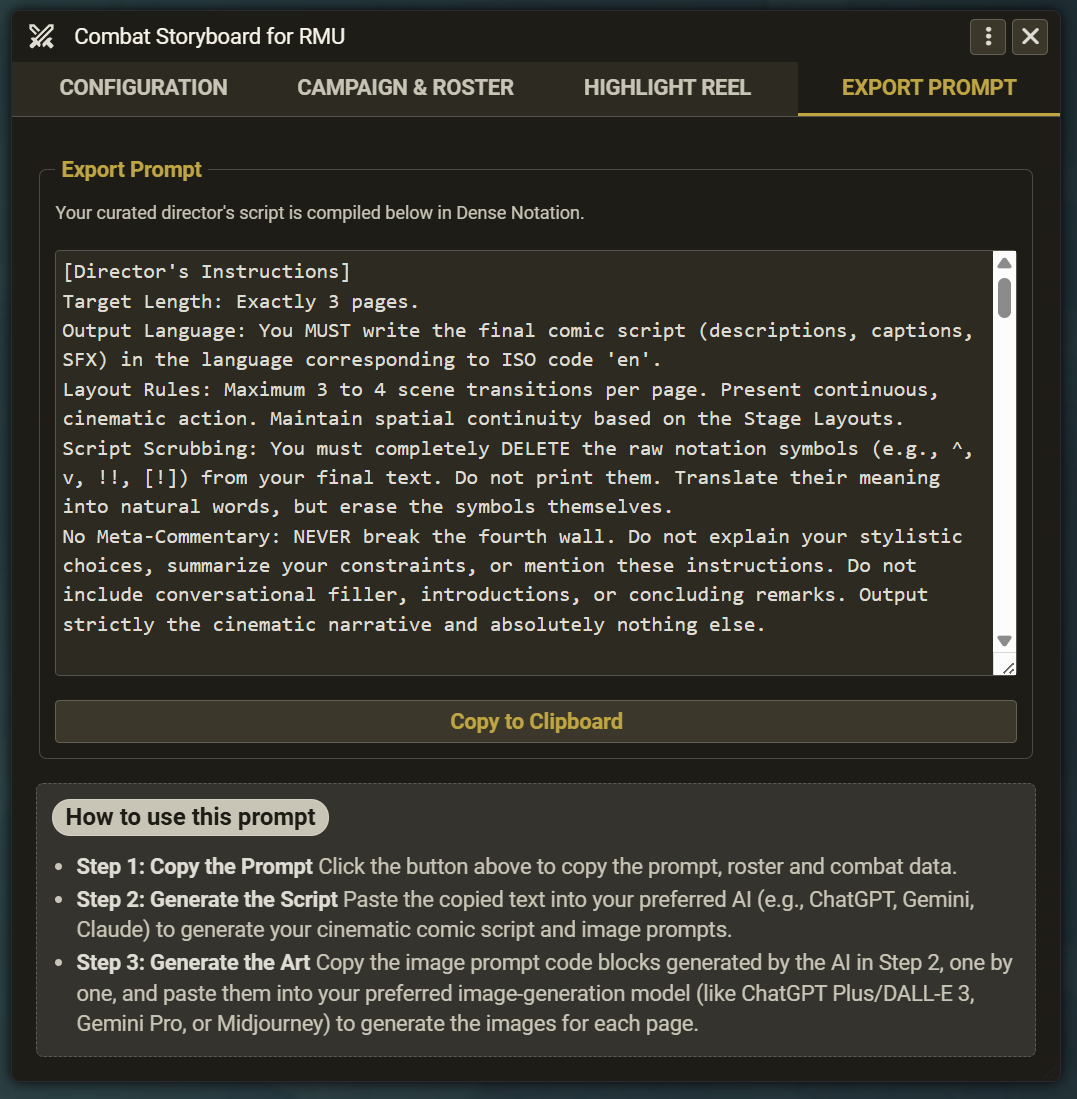
Export Prompt Tab: The module compiles your entire curated battle into a dense, token-optimised code block. Click Copy to Clipboard.
How to use (external LLM workflow)
Because modern AI models perform best when their attention isn't split, this module separates the roles of the Writer (generating the story) and the Artist (generating the images).
Step 1: Generate the script and image prompts
Paste the copied prompt from the "Export Prompt" tab into your preferred text-based LLM AI (such as ChatGPT, Gemini, or Claude).
The AI will process the dense mechanical notation, follow the layout rules included by the module, and output a formatted comic book script for you to read, complete with camera angles and sound effects.
Step 2: Generate the art using an AI image-generation model
The AI will also generate image prompts inside code block labeled Image Prompt: Page X for each page.
Copy these blocks one by one and paste them back into an image-generation model (like ChatGPT Plus/DALL-E 3, Gemini Pro, or Midjourney). The prompt has already been sanitised of game mechanics and character names, forcing the image model to strictly draw the visual action in your chosen art style.
Step 3: Consider commissioning hand-drawn images
If the combat was truly epic, consider commissioning hand-drawn images. The FoundryVTT Discord has an #artist-commissions channel here: FoundryVTT #Artist Commissions. There are many other websites where you can find artists willing to create images for you.
Important note on localisation
The Combat Storyboard for RMU is fully translation-ready and supports RTL layouts. However, when working with the exported AI prompt, you will notice a specific architectural design: Mixed-Language Prompting.
- The System Instructions are always in English. To ensure the LLM strictly follows complex logical constraints (like preventing meta-commentary, parsing system mechanics, and formatting image prompts), the core rules are hardcoded in English, which matches the bulk of the LLM's training data.
- The Output will be in your language. The prompt automatically detects your Foundry VTT language setting and issues an instruction to the AI. The LLM will read your localised Campaign Context, process the English rules, and output the final cinematic comic script in your chosen language.
Disclaimer and IP Notice
The Combat Storyboard for RMU module is an unofficial, community-developed tool designed to enhance the Rolemaster Unified experience on Foundry Virtual Tabletop.
This module is completely independent and is not affiliated with, endorsed, sponsored, or approved by Iron Crown Enterprises (ICE). "Rolemaster", "Rolemaster Unified", and the "RMU" acronym are trademarks of Iron Crown Enterprises.
This project does not distribute any proprietary text, artwork, or core rulebook content belonging to ICE. It functions strictly as a mechanical, workflow, and user interface enhancement for the official RMU system on Foundry VTT. Any use of specific system terminology or mechanical values is for functional compatibility purposes only.
Roadmap Ideas (no promises)
Combat logging features
- Combat statistics: damage dealt, best critical, most fumbles, etc
- Dice roll statistics: % Open ended up/down, % natural 66, highest/lowest open ended roll, mean raw roll value, etc
AI comic features
- Captions: Currently the prompt explicitly prevents captions, SFX or speech bubbles being included in any generated image as the quality of these was not high. I will continue to experiment and add in an option to include these.
- Advanced portrait option: Include filenames for the roster actors and change the resulting prompt to reference the filenames, so you can attach portrait images to your image generation prompts to improve the quality/