Character Tracker









Welcome to Character Tracker
This module provides a system-agnostic tracker for any changes made by players to characters (actors) they control. As a game option, the module can also track changes made by GMs to any player-owned actors.
This is a valuable tool for GMs to review character sheet modifications, such as during levelling up, particularly if you leave your game server accessible between live sessions.
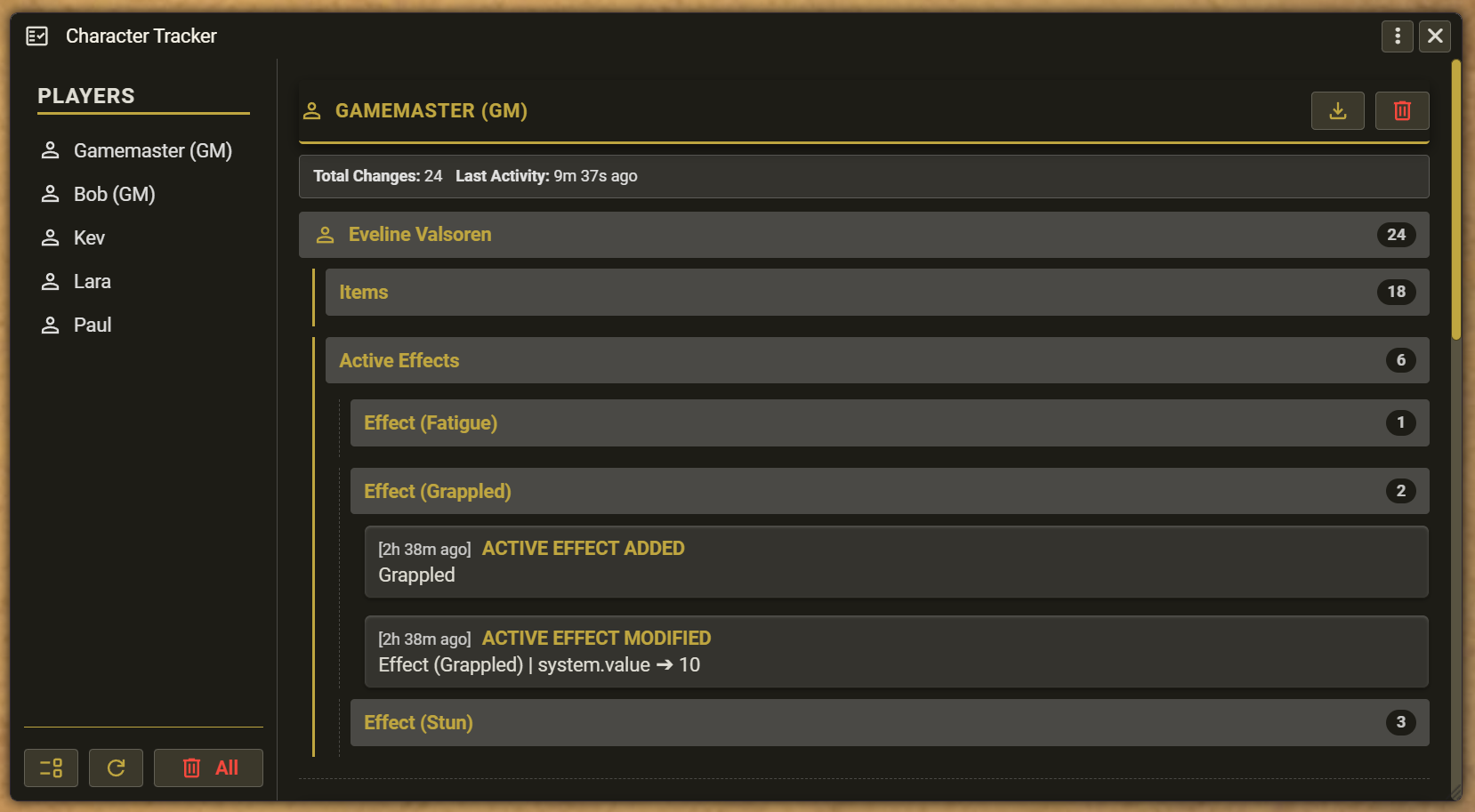
For the initial release, the module tracks:
- Modifications to core system data (e.g., stats, health, experience).
- Adding, removing, or modifying embedded items and active effects.
How to use the Character Tracker
-
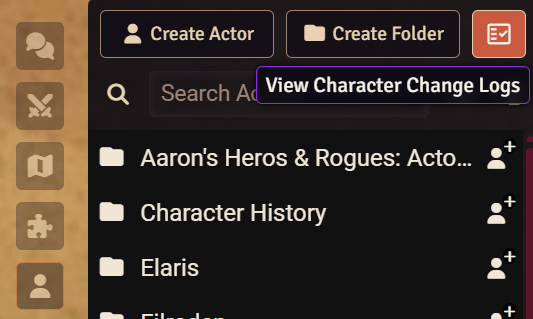
Open the Character Tracker window: A new icon is available at the top of the Actors sidebar to open the interface.
-
Navigation:
- The left panel displays a list of active players (and GMs, if tracking is enabled). Click a name to jump to their specific logs.
- The right panel displays the audit log, nested by player and then by their individual characters. A high-level statistics summary is shown first, followed by a detailed chronological log that can be expanded or collapsed.
-
Saving the Log: You can export individual logs for each player by clicking the Download button next to their name.
-
Switching the View: You can switch between a chronological view (ideal for showing what was changing at the same time) and a categorical view (much easier to see what is being changed) by clicking the Toggle View Mode button at the bottom of the left panel. The categorical view groups changes by type (items, active effects and core data changes), and then further groups the changes by the specific item, effect or data being changed.
-
Refresh the Tracker: You can see new changes in the interface without closing the window by clicking the Refresh button at the bottom of the left panel.
-
Clearing the Log: You can wipe all logs globally (via the Delete button at the bottom of the left panel) or clear individual player logs (via the Delete button next to their name).
System-Specific Dictionaries and Localisation
Whilst the module works with any system, system-specific dictionaries can be added to convert standard dot-notation database keys (e.g., system.health.hp.value) into more easily readable text (e.g., Hit Points). If the game system provides its own localisation files, the tracker maps to these keys, making sure it can translate into any language supported by the system.
For the initial release, a simple dictionary has been included for the Rolemaster Unified (RMU) system as an example.
Roadmap
These features are planned for future updates, in no particular order:
- Add dictionaries for other popular systems.
- Extract deeper, system-specific details from items and active effects.