Filroden's FoundryVTT Modules

All modules respect your chosen UI theme and offer two colour options:

Argon Combat HUD extension for Rolemaster Unified (RMU)


Latest Version Foundry Version License Languages Download Count Download Count Last Commit Issues

Welcome to Argon Combat HUD extension for Rolemaster Unified (RMU)

An implementation of the Argon - Combat HUD (by TheRipper93 and Mouse0270) for the Rolemaster Unified (RMU) system. The Argon Combat HUD (CORE) module is required for this module to work.

Please install the correct version of the module:

  • v1.x is compatible with v13 of FoundryVTT: This version is only being updated for bug fixes and will not contain features added to v2.
  • v2.x is compatible with v14 of FoundryVTT.

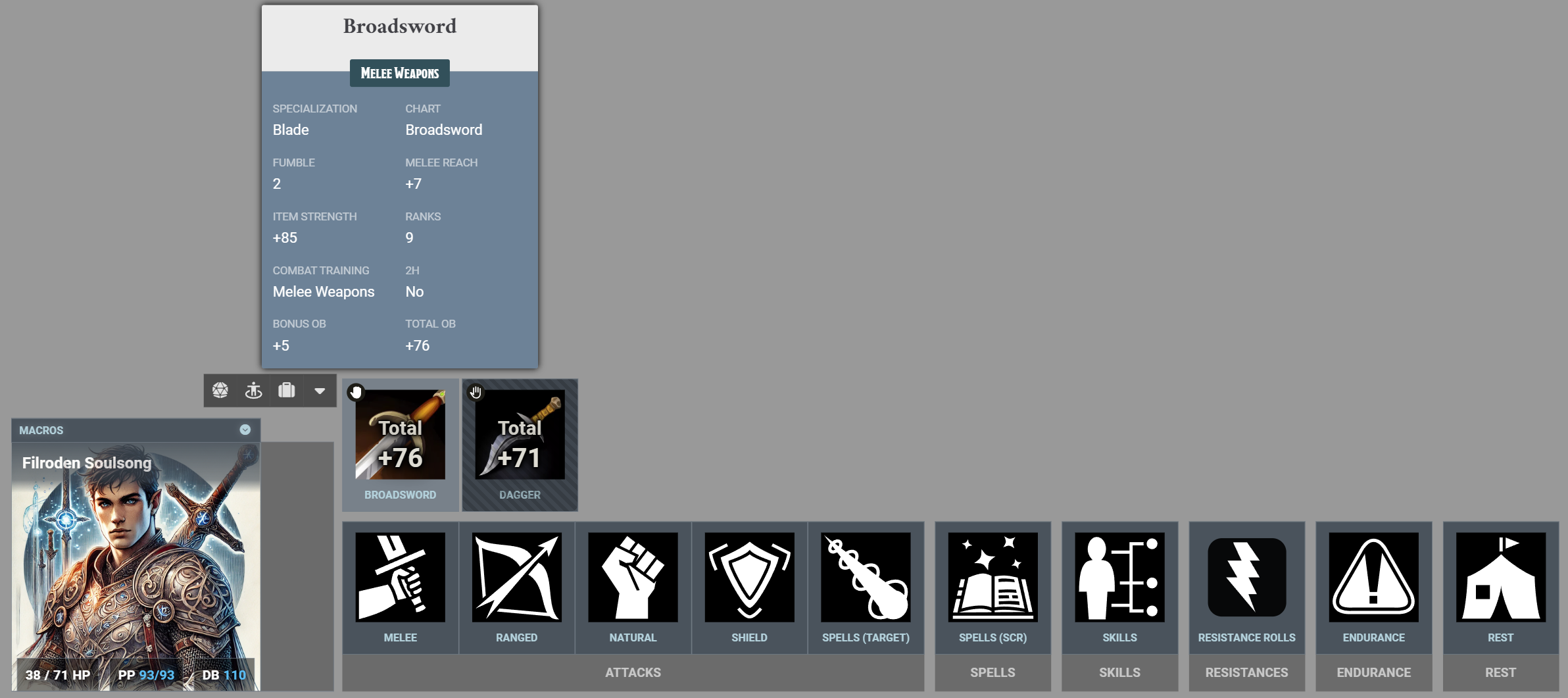
Attack Panel

Attacks

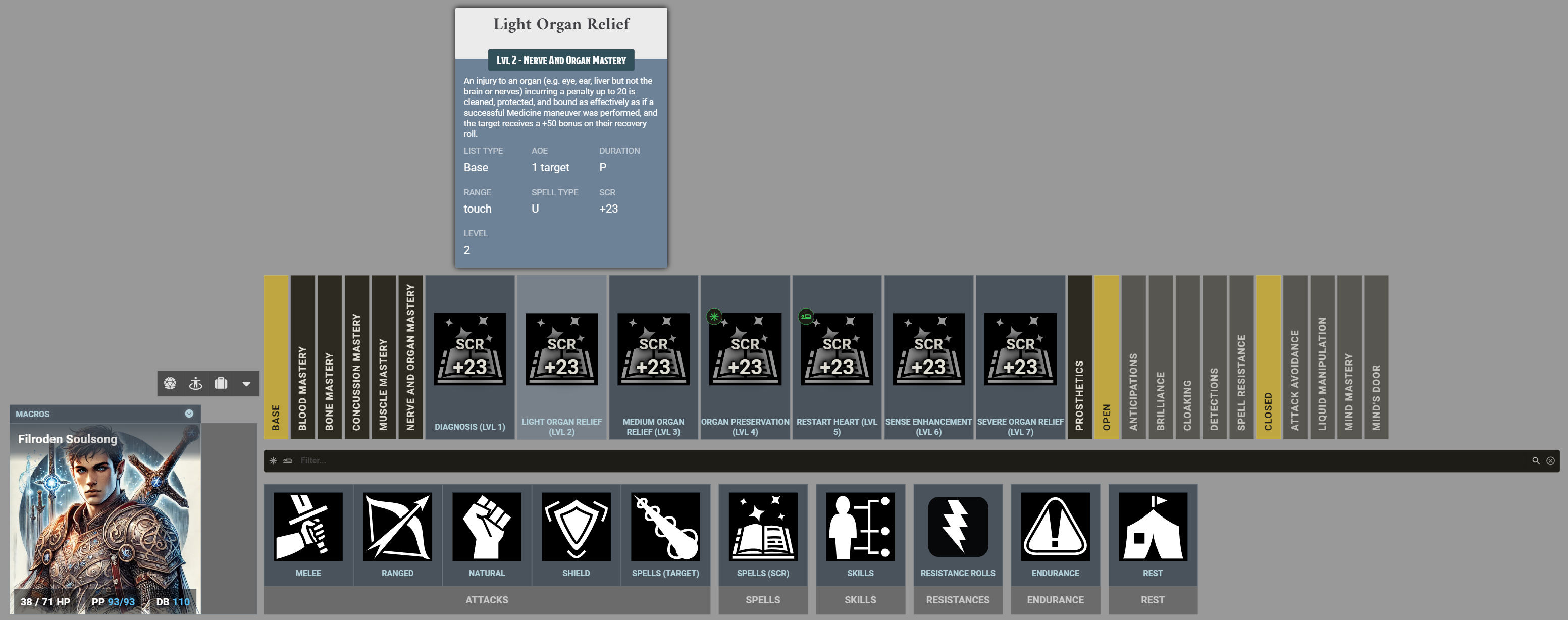
Spells

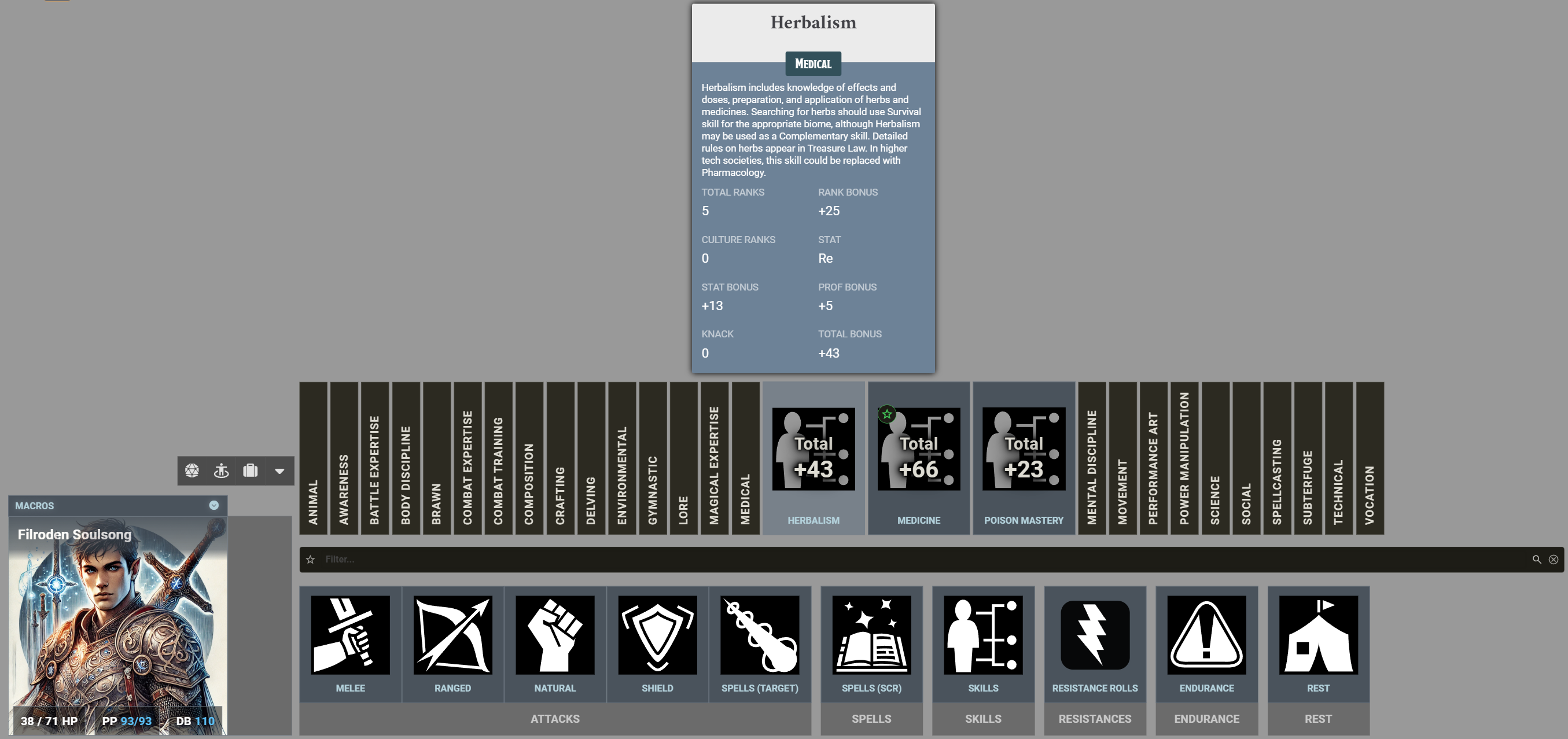
Skills

Resistance Rolls

Resistance

Endurance Rolls

Endurance

Set Defenses

Set Defences

Documentation for core Argon HUD features can be found at TheRipper93's Wiki.

This module adjusts various Argon Combat HUD features for the Rolemaster Unified system:

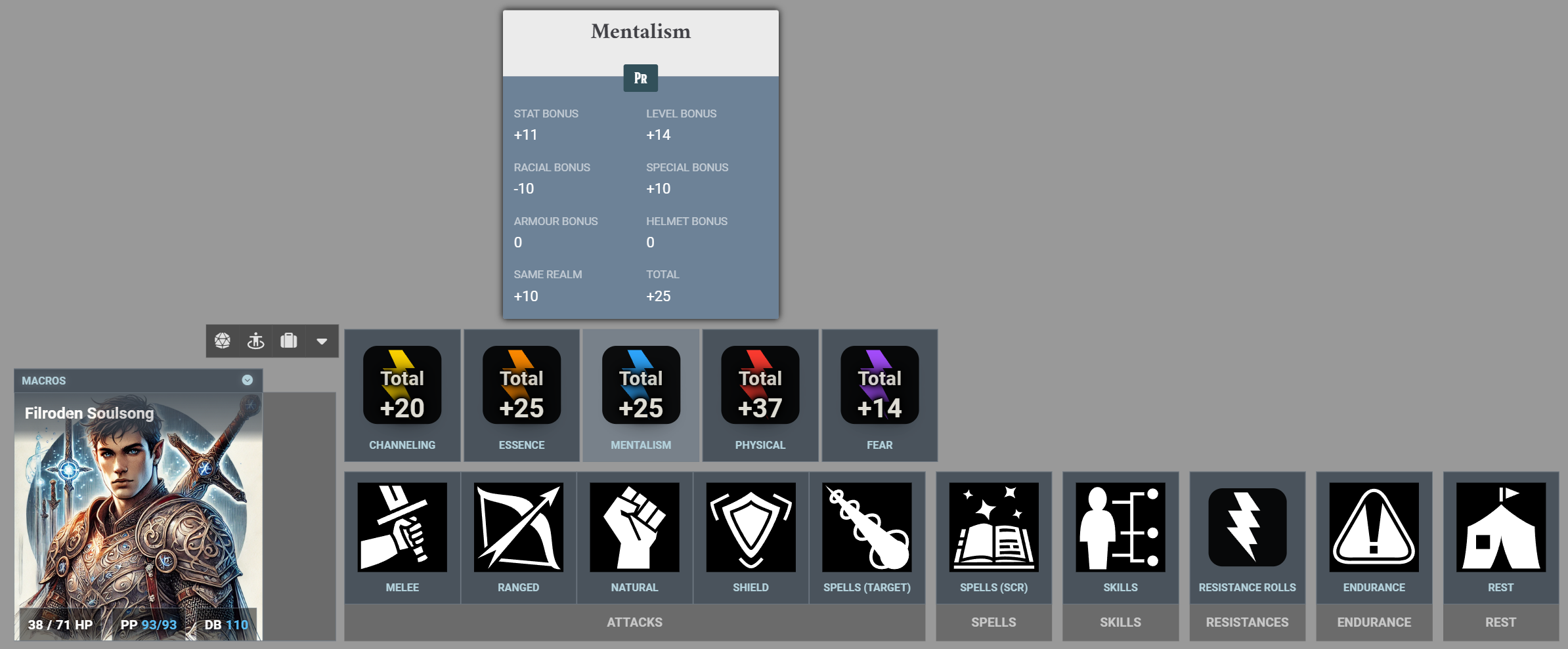
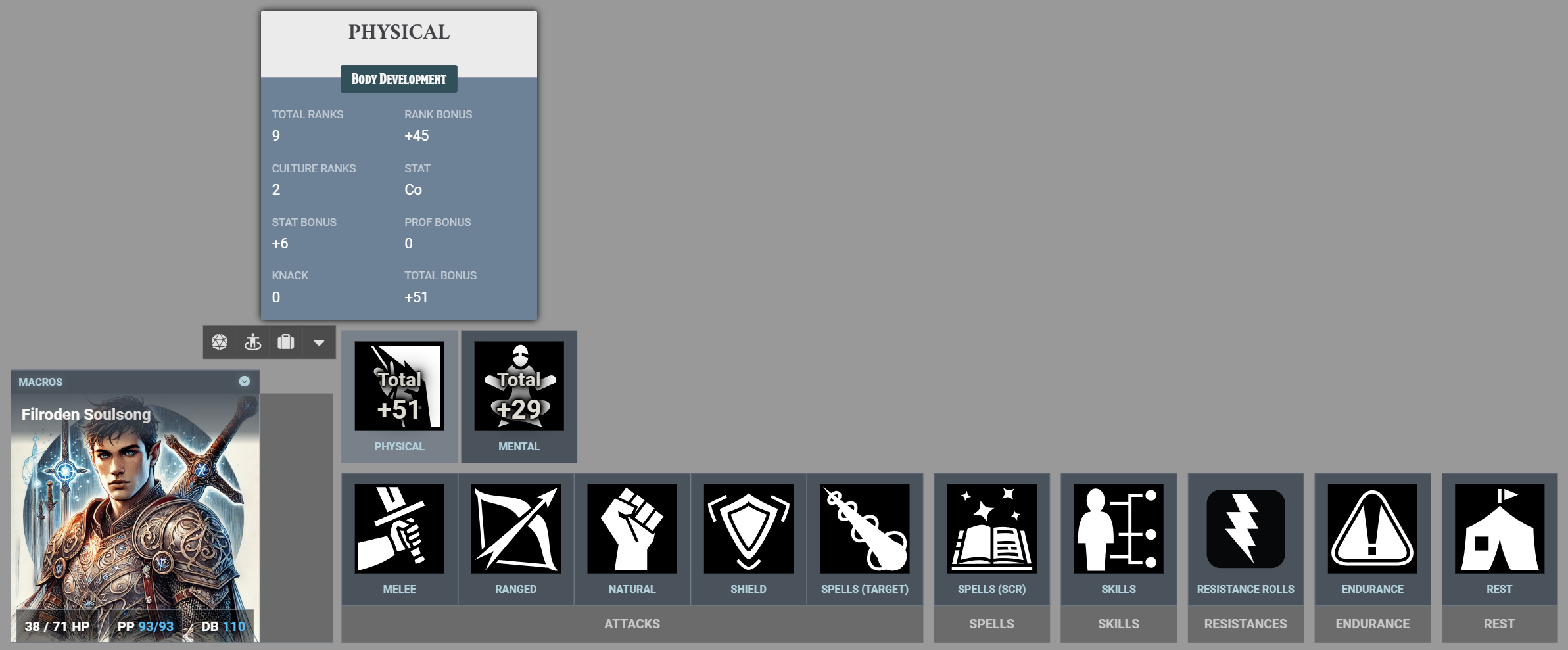
  • Portrait: A customised portrait panel showing HP, Power Points, and Defensive Bonus, with buttons to open the character sheet, set defences (dodge, block and other DB modifier), and to roll initiative. At the top of the portrait is a drawer where you can access any macros on your macro hotbar.

  • Movement HUD: Integrates with the RMU movement system to show your current phase movement, detailing how much further you can move before spending your next AP (for dedicated movement) or incurring the next pace penalty (for acting while moving). Note: This HUD is only visible during combat. Movement accumulates across phases to calculate the total AP cost or the maximum pace reached while acting (the GM determines if a round has 1, 2, or 4 phases when creating the combat). If you make an attack or cast a spell using the HUD, it will automatically reset your pace penalty. If you take a different action, you can manually clear the tracker by clicking the "Reset Pace Penalty" icon above your portrait.

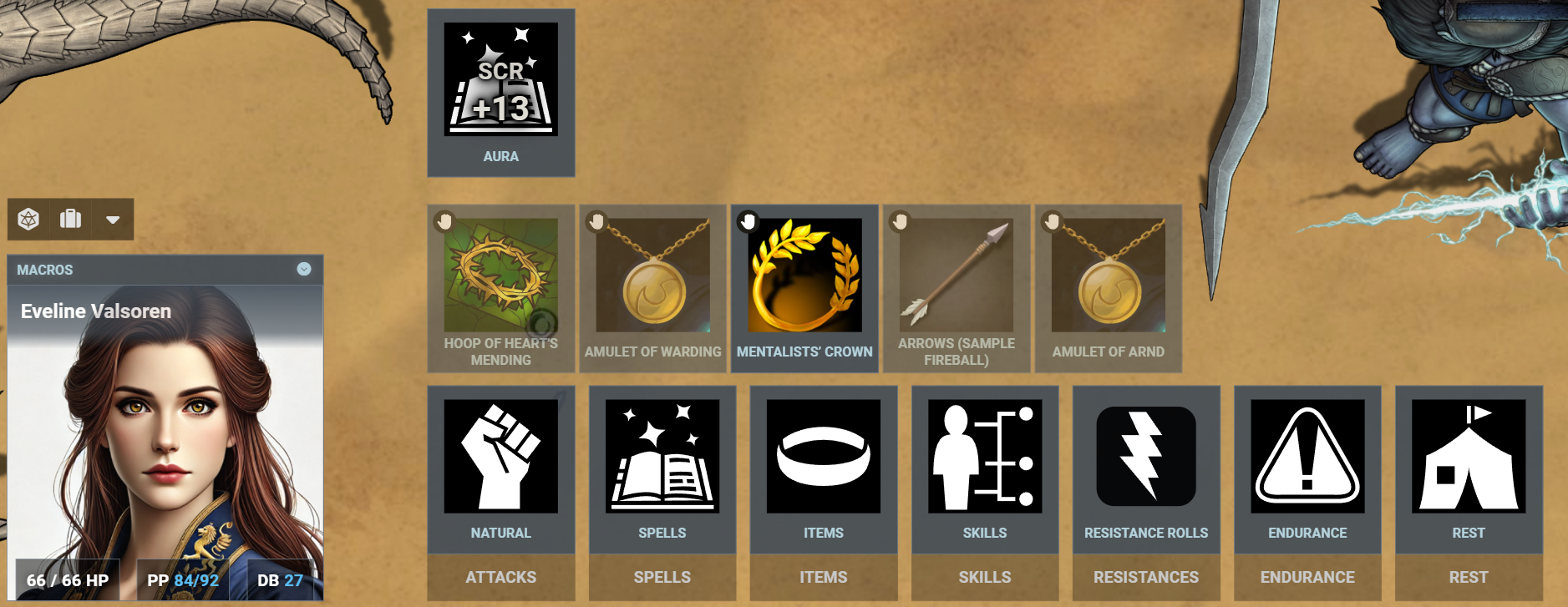
  • Attacks: Categorised attack buttons for Melee, Ranged, Natural (including innate magic), and Shield attacks. Weapons can be equipped and unequipped within the panel.

  • Other panels: Dedicated panels for:

    • Spell Casting (including any follow-up attack roll)
    • Skill Manoeuvre Rolls (including Spell Mastery)
    • Resistance Rolls
    • Endurance Checks (Physical/Mental)
  • Search: A search tool for spells and skills. Just start typing and it will show any spells or skills matching your text and the number found on the right of the search bar. Click the clear icon in the search bar to reset the filter. There are also toggled filters for specific spell or skill properties such as filtering for favourites, or for spells that can be cast instantaneously or sub-consciously, or for skills which have 1 or more ranks.

  • Utilities:

    • A "Rest" button to open the RMU rest dialogue.
    • A combat panel to end the current combatant's turn (only visible when in combat).
  • Tooltips: Each action button has a rich tooltip showing the same data available in the character sheet.

Casting spells

In RMU you potentially need to make three rolls to cast a spell. On the Actor Sheet all these are found in the same tab, but in Argon Combat HUD for RMU they are split between two panels.

  1. [Optional] A Spell Mastery roll to successfully adapt a spell from its base description. Spell Mastery rolls can be made from the Skills Panel using the appropriate Spell List skill.
  2. [Mandatory] A Spell Casting Roll (SCR) is always required. SCR can be made from the Spells Panel using the appropriate Spell.
  3. [Conditional] Some spells require an attack roll. If a spell has an associated attack, it will be shown in the chat card generated by the Spell Casting Roll.

Game Settings

GMs can configure custom icons for the main HUD panels and buttons via the module's Game Settings. Clicking the Configure Icons menu also allows you to map custom icons to specific spells or skills by name.

  • Localisation: The mapping uses the exact name as it appears on your character sheet, fully supporting localised names.
  • Spell Variants: For spells, the custom icon will automatically apply to any level variant, so you do not need to include Roman numerals or True after the name. For example, an icon mapped to Regeneration will apply to Regeneration I, Regeneration III, and Regeneration True.

Dependencies

The table below only shows the earliest version where a dependency has changed. Later versions share the same dependencies.

Argon Combat HUD
(RMU)
RMU System Argon Combat HUD
(CORE)
FoundryVTT
2.1.0 1.2.43 5.0.0 14
2.0.0 1.2.5 5.0.0 14
1.0.1 1.0.0 4.1.0 13
1.0.0 1.0.0 4.0.7 13

Version History

Version History

Roadmap

  • Using Items with activated effects (waiting on a system dependency)

If you have suggestions, questions, or requests for additional features, please let me know.

Disclaimer and IP Notice

The Argon Combat HUD extension for Rolemaster Unified (RMU) module is an unofficial, community-developed tool designed to enhance the Rolemaster Unified experience on Foundry Virtual Tabletop.

This module is completely independent and is not affiliated with, endorsed, sponsored, or approved by Iron Crown Enterprises (ICE). "Rolemaster", "Rolemaster Unified", and the "RMU" acronym are trademarks of Iron Crown Enterprises.

This project does not distribute any proprietary text, artwork, or core rulebook content belonging to ICE. It functions strictly as a mechanical, workflow, and user interface enhancement for the official RMU system on Foundry VTT. Any use of specific system terminology or mechanical values is for functional compatibility purposes only.

Changelog
Version 2.2.0

FEATURES
- Custom Icon Configuration: Added a new settings menu to configure custom icons for specific spells and skills. To assign an icon, enter the exact name of the spell or skill as it appears on your character sheet (including any localised names). You do not need to include Roman numerals or 'True' at the end of spell names; the custom icon will automatically apply to all level variants.

UNDER THE HOOD
- Updated weapon range data extraction to prioritise the RMU system's new usage data structure, ensuring continued compatibility with upcoming system updates.

Version 2.1.0

IMPROVEMENTS
- Spell Attack Rolls: Removed spell arming for spells which have an attack, as the attack is now triggered from the chat card after a Spell Casting Roll. This reverses some of the changes implemented in v1.1.0.
- All Known Spells: The "All Known Spells" list is no longer shown in the Spell panel, as these are just duplicates of spells already being shown in the HUD.

Version 2.0.0

UNDER THE HOOD
- Updated the module to require Foundry VTT v14, Argon Combat HUD v5.0.0, and RMU v1.2.5.
- Replaced deprecated data deletion methods.
- Restructured the codebase for Endurance and Concentration checks to improve long-term maintainability.

Version 1.4.0

IMPROVEMENTS
- Spell Favourites: Added a the abliity to filter spells to those marked as favourites in the actor's sheet.

Version 1.3.0

IMPROVEMENTS
- Ranked Skill Filter: Added a filter to the search bar to show only skills which have 1 or more ranks.
- Search Bar Clarity: Made the search bar icons and text a little larger to make them easier to see.

Version 1.2.0

IMPROVEMENTS
- Reset Pace Penalty: Added a new Reset Pace Penalty button to the portrait panel (next to the Set Defenses button). This lets you to manually reset your "high tide" movement mark mid-turn, if you have ended one action that is not being tracked by the module and are beginning another.

UNDER THE HOOD
- Version bump to confirm compatibility with FoundryVTT v14 with no changes to code needed.
- Renamed files and directories to match my other modules.

Version 1.1.4
  • Version bump to confirm compliance with Foundry's AI Content Policy.
Version 1.1.3
  • Added support and proper sorting for the new "Innate" spell list category.
Version 1.1.2
  • Fix to prevent Argon Combat HUD (CORE) giving a warning if a "Loot" actor is selected.
Version 1.1.1
  • Fix search bar filters in the Spell search bar. They should now show available instant and subconscious spells when toggled.
Version 1.1.0
  • Removed all spell attacks from the Attack panel.
    - In the Spell panel (renamed from Spell (SCR) panel), if a spell has an attack, it shows both the SCR bonus and the OB bonus.
    - If you cast a spell with an attack, it will change the state of the button after the attack to show it is armed and ready to be used again to make the attack roll.
    - Clicking the button again (with your target selected / template placed) will do the attack and return the button to its unarmed state.
    - The armed state has a slightly warmer background, a different icon, and only shows OB bonus (and the Place Template reminder for area spells).
    - If the SCR roll fails (which the HUD cannot detect), you can dismiss the armed state by right-clicking the button.
Version 1.0.1
  • Moved to ApplicationV2.
    - Added a check inside the Set Defenses dialogue to warn users if they are trying to set Passive Dodge and Passive Block at the same time.
    - Made sure that spell casting tooltips always appear above their buttons.
Version 1.0.0

PUBLIC RELEASE
- Updated documentation.
- Updated master css theme.

Version 0.6.2
  • Added a reset to the pace penalty if an attack, spell or perception action are taken during the phase (this will only work if they are triggered by using the HUD, not from the character sheet). Pace penalty tracking then begins again in the next phase from 0.
    - Fixed bugs in calculating AP cost for in-phase dedicated movement.
    - All movement is now limited by encumbrance.
    - The info box shows a warning if the token is spending more than 1 AP per phase (which could be true, but acts as a fail safe).
    - Improved documentation of the movement HUD code to show calculation logic.
Version 0.6.1
  • Fixed bug in calculating AP cost for in-phase dedicated movement.
    - Simplified movement HUD to a single track and a more detailed information box to show how far you can move until you incur another AP cost or move to a higher penalty.
Version 0.6.0

MOVEMENT HUD UPDATE
Replaced Argon HUD movement tracker with dedicated RMU tracker. This shows two tracks only during combat.

- Track 1: Dedicated Movement is for tracking dedicated movement using AP and shows the total distance travelled in the round (accumulating each phase).
- Track 2: Acting while Moving is for tracking acting while moving and is a speed gauge, showing the distance travelled that phase and including a marker to show the fastest pace used in all phases that round and the penalty associated with that pace.

A tactical movement information box summarises the information in both tracks.

Version 0.5.6
  • Fixed issue with weapons with multiple attack variants (e.g., 1H or 2H) would use only the first variant for all attacks.
    - Fixed issue where clearing a search in the skill search bar (text or favourite filer) would not restore visibility of the skills panel.
    - Updated UI theme to latest version.
Version 0.5.5
  • Updated theme colours to use HSL values.
Version 0.5.4
  • Added filters to the spell panel for "instant" and "sub-conscious" spells.
    - Added icons to all individual skill buttons for consistency.
    - Resolved a bug where clearing the search filter (or un-toggling the last filter) would incorrectly show all items instead of closing the accordion in the spell and skill panels.
    - Made under-the-covers code improvements for stability and maintainability.
Version 0.5.3
  • Added a defence dialogue to set dodge, block (when available) and other DB modifiers.
    - Re-themed elements of the module to follow my other modules rather than system colours.
Version 0.5.2
  • Added toggle buttons to weapons/shields to allow them to be quickly equipped or unequipped from within the HUD.
Version 0.5.1
  • Added macro drawer above portrait.
    - Hidden weapon swap bar.
Version 0.5.0
  • Refactored and modularised the codebase.
    - Added Spell SCR (Spell panel) and Spell Attack rolls (attack panel). Spell Mastery rolls were already available in the Skills panel.
    - Added additional styling for dual level accordion panels for SCR rolls.
    - Added description to the skill tooltip.
Version 0.4.4
  • Added leading + to positive bonus values.
    - Added tooltips to Endurance buttons.
Version 0.4.3
  • Minor CSS change to consolidate styles.
Version 0.4.2
  • Added favourite toggle in the skills search bar.
    - Added a favourite “chip” on all skill buttons that are marked as favourite on the actor skills tab.
Version 0.4.1
  • Added combat panel with an end turn button visible only when the token is in combat and it is their turn.
    - Fixed missing CSS styles for skill category buttons introduced in v0.4.0.
    - Verified roll initiative button works (in portrait panel).
    - Changed clear icon in the skills search bar and made it visible only when there is a filter applied.
Version 0.4.0

Code and CSS refactor.

Version 0.3.2

Minor code cleanup.

Version 0.3.1

The REST button now hides during combat (still accessible via the character sheet).

Version 0.3.0
  • Added skill manoeuvre rolls (found in the skills panel on the bottom bar; expand a category to see its skills).
    - Added a custom search bar to find skills (shows matches count; clear icon resets filter).
    - Added endurance rolls (physical and mental).
    - Updated several icons.
Version 0.2.0

Includes attack buttons, resistance rolls, and the rest action.

Version 0.1.0

Initial release.

Full screen preview